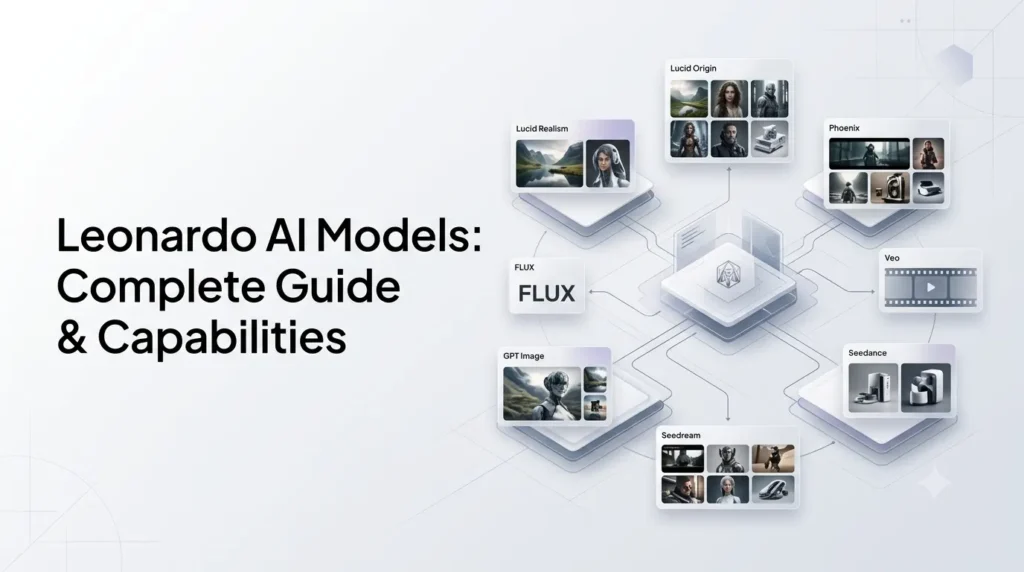
Leonardo AI models are the different generative AI systems available inside Leonardo.Ai for creating, editing, and transforming images and videos. Instead of using a single model for every task, Leonardo.Ai brings together its own models with models from companies such as OpenAI, Google, Black Forest Labs, ByteDance, Ideogram, Recraft, Krea, Kling, and others.
That makes model selection an important part of the Leonardo Ai workflow. A model designed for text rendering may be better for a poster, while another may be better for photorealism, image editing, cinematic video, audio generation, or rapid experimentation.
Quick Summary
- Leonardo AI models power image and video generation across the platform.
- Leonardo’s key models include Lucid Origin, Lucid Realism, and Phoenix.
- It also offers models from FLUX, GPT Image, Nano Banana, Seedream, Ideogram, and Recraft.
- Video options include Kling, Veo, Seedance, LTX, Wan, and FLUX 3 Video.
- Omni models support advanced image generation and editing using text and image references.
- The best model depends on your goal—realism, text, editing, speed, or video.
- Leonardo’s model library changes regularly as new models are added and older ones are retired.
- Developers can also access supported models through the Leonardo API.
What Are Leonardo AI Models?
Leonardo AI models are generative models that power specific image and video creation workflows inside Leonardo.Ai.
The platform effectively acts as a model hub. Rather than requiring users to visit a different service for every generation system, Leonardo provides a unified interface where creators can select different models and use them with Leonardo’s creative tools.
The models can be broadly divided into:
- Leonardo’s own models
- Third-party image models
- Third-party video models
- Omni models for image generation and editing
Each model has different strengths. Some prioritize prompt adherence, some focus on photorealism, others specialize in text rendering, editing, motion, camera control, audio, or speed.
What Are the Main Leonardo AI Models?
The easiest way to understand Leonardo’s current ecosystem is to separate its models by purpose.
| Category | Examples | Best suited for |
|---|---|---|
| Leonardo image models | Lucid Origin, Lucid Realism, Phoenix | General image generation and creative control |
| OpenAI image models | GPT Image 2, GPT Image-1.5, GPT Image-1 | Generation, editing and creative direction |
| Google image models | Nano Banana 2, Nano Banana Pro | Editing, consistency and visual understanding |
| FLUX models | FLUX.2 Pro, FLUX.1 Kontext Max, FLUX Dev | High-fidelity generation and controlled editing |
| Seedream models | Seedream 5.0 Pro, 4.5, 4.0 | Typography, posters and high-quality images |
| Ideogram models | Ideogram 4.0, 3.0 | Text-heavy designs and composition |
| Recraft models | Recraft V4, V4 Pro | Production-oriented graphics and text rendering |
| Krea models | Krea 2, Krea 2 Turbo | High-fidelity image generation |
| Video models | Seedance, Kling, Veo, FLUX 3 Video, Wan, LTX, etc. | Video generation, motion and cinematic workflows |
This list is not a permanent specification. Leonardo’s official model library is updated as new models arrive and older models are retired.
Leonardo AI’s Own Models
Leonardo Ai has its own image-generation models in addition to hosting models from other providers.
1. Lucid Origin
Lucid Origin is one of Leonardo’s flagship image-generation models and is positioned as a versatile model for high-definition visual generation.
Leonardo describes it as particularly strong in:
- Prompt adherence
- Text rendering
- Graphic design
- Diverse visual styles
- Vibrant imagery
- Full-HD output
Lucid Origin is designed to work across a broad range of visual styles rather than being restricted to one narrow use case. Leonardo also provides it through its API, where users can control parameters such as generation mode, dimensions, quantity, seed, style, and image guidance.
Lucid Origin vs Lucid Realism
The two models have different positioning.
Lucid Origin is the more adaptable general-purpose model, while Lucid Realism is positioned around cinematic shots and workflows that pair well with video generation.
Leonardo specifically describes Lucid Realism as a model suited to cinematic image-to-video workflows, while Lucid Origin emphasizes versatility, prompt responsiveness, text rendering, and visual diversity.
2. Leonardo Phoenix
Phoenix is Leonardo.Ai’s foundational image-generation model.
Leonardo offers Phoenix 1.0 and Phoenix 0.9. Phoenix is particularly focused on prompt adherence and coherent text rendering inside generated images.
This makes Phoenix useful for prompts containing detailed instructions or designs where text needs to be represented accurately.
Typical use cases include:
- Posters
- Advertisements
- Social graphics
- Concept art
- Product visuals
- Detailed image prompts
- Designs containing text
Phoenix is also available through Leonardo’s API.
Leonardo AI Omni Models
Omni models are an important part of Leonardo’s newer workflow because they combine image and text understanding for both generation and editing.
Leonardo’s current Omni lineup includes models such as:
- FLUX.1 Kontext
- FLUX.1 Kontext Max
- FLUX.2 Pro
- GPT Image-1
- GPT Image-1.5
- Nano Banana
- Nano Banana Pro
- Seedream 4.0
- Seedream 4.5
These models can be used as standalone image-generation models and through Leonardo’s Omni Editing experience.
What Can Omni Models Do?
The major advantage is contextual editing.
Instead of rebuilding an image from scratch, you can provide an existing image, add references, and describe the change using natural language.
For example:
“Keep the product and composition but change the background to a modern luxury bathroom.”
The editor can then modify the image while attempting to preserve the important elements.
Leonardo’s current Inline Editor can also combine multiple references. Depending on the model, users can reference up to six images and describe how elements from those references should be combined.
Third-Party Image Models in Leonardo AI
One of Leonardo’s biggest advantages is that users can access models from several different providers without switching between platforms.
1. GPT Image Models
Leonardo currently lists:
- GPT Image 2
- GPT Image-1.5
- GPT Image-1
These models are positioned for polished visual creation, composition, editing, and preservation of image details.
2. Google Nano Banana Models
The current library includes:
- Nano Banana 2
- Nano Banana 2 Lite
- Nano Banana Pro
- Nano Banana
Leonardo describes these models around areas such as faster generation, editing, consistency, and visual understanding.
3. FLUX Models
Leonardo’s current image lineup includes:
- FLUX.2 Pro
- FLUX.1 Kontext Max
- FLUX.1 Kontext
- FLUX Dev
- FLUX Schnell
The different FLUX variants serve different generation and editing requirements, with Leonardo describing FLUX.2 Pro around high-fidelity results and prompt adherence, while FLUX.1 Kontext focuses on controllable image generation and editing.
4. Seedream Models
Leonardo currently lists:
- Seedream 5.0 Pro
- Seedream 4.5
- Seedream 4.0
Seedream 5.0 Pro is positioned around high-fidelity text-to-image generation, typography, and layout control, while Seedream 4.5 is highlighted for posters, logos, and text-heavy designs.
5. Ideogram Models
Leonardo provides:
- Ideogram 4.0
- Ideogram 3.0
- P-Image-Ideogram
These are particularly relevant for graphic-design workflows where typography and composition matter. Leonardo describes Ideogram 4.0 as supporting 2K images with accurate text rendering and precise composition control.
6. Recraft Models
The current library includes:
- Recraft V4
- Recraft V4 Pro
Leonardo positions these models toward production-ready visual content and precise text rendering.
7. Krea Models
Leonardo also provides:
- Krea 2
- Krea 2 Turbo
These models are designed for high-fidelity image generation, with Turbo focused on faster generation.
Leonardo AI Video Models
Leonardo’s model ecosystem extends well beyond static images.
Its current video library includes models from several providers.
1. Seedance
The current lineup includes:
- Seedance 2.5
- Seedance 2.0
- Seedance 2.0 Fast
- Seedance 2.0 Mini
- Seedance 1.0 Pro
- Seedance 1.0 Pro Fast
Leonardo highlights Seedance 2.5 for camera control, consistent scenes, and editable video, with current platform information stating that it can generate videos up to 30 seconds.
2. Kling
Leonardo’s current Kling lineup includes:
- Kling 3.0 Turbo
- Kling Video 3.0
- Kling Video O3 Omni
- Kling 2.6
- Kling O1
- Kling 2.5 Turbo
- Kling 2.5 Turbo Standard
- Kling 2.1 Pro
The different versions target different combinations of motion quality, consistency, audio, references, speed, and control.
3. Veo
Leonardo currently offers:
- Veo 3.1
- Veo 3.1 Fast
- Veo 3.1 Lite
The official API documentation distinguishes these variants by capabilities such as supported resolution and image-reference functionality. Veo 3.1 and Veo 3.1 Fast support resolutions up to 4K, while Veo 3.1 Lite supports up to 1080p.
4. FLUX 3 Video
FLUX 3 Video is Leonardo’s current video offering from Black Forest Labs.
Leonardo describes it as supporting synchronized audio, strong prompt adherence, and videos of up to 20 seconds.
5. MiniMax H3
MiniMax H3 is positioned as a flagship video model with native audio and multimodal references.
6. Wan
The current lineup includes:
- Wan 3.0
- Wan 2.7
- Wan 2.6
Wan 3.0 is described as supporting videos up to 30 seconds with synchronized audio and combinations of text, image, video, and audio references. Wan 2.6 supports text-to-video, image-to-video, and reference-to-video workflows.
7. LTX
Leonardo currently lists:
- LTX-2 Ultra
- LTX-2.3 Pro
- LTX-2.3 Fast
These models cover higher-quality cinematic generation, improved motion, audio generation, and faster generation workflows.
8. Grok Imagine 1.5
Leonardo also currently lists Grok Imagine 1.5 for video generation.
The platform describes it as a model for creating cinematic scenes from still images, with motion, cinematic detail, and sound. Leonardo’s API documentation provides a dedicated Grok Imagine 1.5 video-generation workflow.
Which Leonardo AI Model Should You Use?
There is no single best Leonardo AI model for every task.
A better approach is to select the model based on what you are trying to produce.
| Goal | Models to consider |
|---|---|
| General-purpose image generation | Lucid Origin, Phoenix 1.0 |
| Strong prompt adherence | Lucid Origin, Phoenix |
| Text-heavy graphics | Phoenix, Seedream, Ideogram, Recraft |
| Image editing | Omni models, GPT Image, FLUX Kontext |
| Photorealistic/cinematic images | Lucid Realism, Lucid Origin, FLUX |
| Posters and layouts | Seedream, Ideogram, Recraft |
| Fast image generation | Nano Banana 2 Lite, FLUX Schnell, Krea 2 Turbo |
| Cinematic video | Veo, Kling, Seedance, LTX |
| Video with audio | Seedance, Kling, FLUX 3 Video, MiniMax H3, Veo |
| Fast video experimentation | Kling 3.0 Turbo, LTX-2.3 Fast, Motion 2.0 Fast |
These are starting points rather than universal rankings. Output quality depends on the prompt, reference images, settings, generation mode, and the specific task. Leonardo itself recommends choosing models according to the creative job rather than assuming one model is best for everything.
Leonardo AI Models vs Leonardo AI Tools
A common source of confusion is treating a model and a tool as the same thing.
They are different.
- A model is the generative system producing or transforming the content.
- A tool is the workflow or interface that helps you use that model.
For example:
- Model: Phoenix 1.0
- Tool: Leonardo AI image generator
Or:
- Model: GPT Image-1.5
- Tool: Omni Editing / Inline Editor
Other Leonardo tools include Image Guidance, Flow State, Realtime Canvas, image upscaling, background removal, and video editing.
This distinction matters because the same creative tool can sometimes work with multiple models.
How Do Leonardo AI Models Work With Image References?
Reference images provide additional information beyond a text prompt.
Leonardo’s newer Image Guidance workflow allows users to provide references and describe how they should influence the final result. With its Omni models, the platform emphasizes contextual understanding of multiple images and natural-language instructions.
A typical workflow can look like:
Reference image → Model → Text instructions → Generation → Edit → Refine
For example, a marketer could provide:
- A product image
- A desired background
- A brand-style reference
The model can then be instructed to combine those elements into a new visual.
Are All Leonardo AI Models Made by Leonardo?
No.
Leonardo Ai combines its own models with models from external providers.
Its own lineup includes models such as Lucid Origin, Lucid Realism, and Phoenix, while the platform also hosts models from OpenAI, Google, Black Forest Labs, ByteDance, Ideogram, Recraft, Krea, Kling, and other providers.
This is an important distinction when researching Leonardo AI models.
Leonardo is increasingly functioning as a multi-model creative platform, rather than simply being the name of one image-generation model.
What Happened to Older Leonardo AI Models?
Leonardo’s model library changes over time.
Models can be added, upgraded, replaced, or retired. This is especially important for third-party models because availability can depend on the provider.
For example, Sora 2 and Sora 2 Pro were retired from Leonardo Ai in July 2026 following a provider-side change, with Leonardo recommending Veo 3.1 and Veo 3.1 Fast as replacements.
This means older articles that describe Sora 2 as a currently available Leonardo model may now be outdated.
The same principle applies to older Leonardo image models and previous versions of video-generation systems.
Leonardo AI Models for API Developers
Leonardo’s model ecosystem is also available through its API.
The API exposes production models and their supported parameters, allowing developers to integrate image and video generation into applications and automated workflows. Leonardo provides an endpoint for retrieving available production API models.
The platform also has a Get API Code feature that can turn a generation created in the web application into code snippets in cURL, Python, or Node.js.
This creates a useful workflow:
Experiment in Leonardo → Find the right model → Tune settings → Generate → Export API configuration → Integrate into an application
Not every web model necessarily has identical API support, so developers should check the documentation for the specific model they want to deploy.
What Are the Limitations of Leonardo AI Models?
Leonardo’s multi-model approach provides flexibility, but it also creates some complexity.
1. Model availability changes
The library is continuously updated, and third-party providers can influence whether a model remains available.
2. Different models behave differently
A prompt that works well with Phoenix may require modification for FLUX, Ideogram, Seedream, or another model.
3. Generation costs vary
Token consumption depends on the model, generation mode, resolution, and operation. Some externally hosted models are also treated differently from Leonardo’s own models.
4. Video models are particularly diverse
Video systems differ in duration, resolution, motion behavior, audio support, reference handling, and generation speed. Choosing the wrong model can therefore waste both time and tokens.
5. No model is perfect
Even the strongest models can struggle with complex compositions, precise object relationships, consistency, typography, hands, small details, or highly specific instructions.
The practical solution is to test several models rather than assuming the newest model will always produce the best result.
Final Thoughts
Leonardo AI models are best understood as a constantly evolving multi-model ecosystem rather than a single AI image generator.
Leonardo’s own Lucid Origin, Lucid Realism, and Phoenix models provide core image-generation capabilities, while models from OpenAI, Google, Black Forest Labs, ByteDance, Ideogram, Recraft, Krea, Kling, and other providers expand the platform’s range.
For creators, the main advantage is choice. You can use one model for photorealistic images, another for typography, another for editing, and a completely different system for video and audio.
The most effective Leonardo AI workflow is therefore not simply finding the “best” model. It is understanding which model fits the specific job, testing the relevant options, and then combining the right model with Leonardo’s generation, editing, reference, and enhancement tools.
Frequently Asked Questions
1. What is the best Leonardo AI model?
There is no universally best Leonardo AI model. Lucid Origin and Phoenix are strong starting points for general image generation, while specialized models such as Ideogram, Seedream, FLUX, GPT Image, and Recraft can be more suitable for specific creative requirements.
2. What is the difference between Leonardo Phoenix and Lucid Origin?
Phoenix is Leonardo.Ai’s foundational image-generation model with a strong focus on prompt adherence and text rendering. Lucid Origin is positioned as a more versatile model emphasizing HD output, visual diversity, prompt responsiveness, and a broad range of aesthetics.
3. What are Leonardo AI Omni models?
Omni models are image-generation models with stronger contextual understanding of image and text inputs. Leonardo uses them both for standalone generation and for its Omni Editing workflow. Current supported examples include GPT Image, Nano Banana, FLUX Kontext, and Seedream models.
4. Which Leonardo AI model is best for text in images?
Phoenix, Ideogram, Seedream, and Recraft are worth considering when typography and text rendering are important. The best choice depends on the specific design and the amount and complexity of text required. Leonardo specifically highlights Phoenix for coherent text rendering and several current models for typography-focused workflows.
5. Which Leonardo AI models can generate video?
Leonardo’s current video library includes models such as Seedance 2.5, Kling 3.0, Veo 3.1, FLUX 3 Video, MiniMax H3, Wan 3.0, LTX models, Motion 2.0, and Grok Imagine 1.5. The available lineup can change over time.
6. Can developers use Leonardo AI models through an API?
Yes. Leonardo provides API access to production models and model-specific documentation. Developers can also use the web app’s Get API Code feature to export generation settings into cURL, Python, or Node.js snippets where supported.
Further Reading –
Leonardo AI: What It Is and How It Works? Features, Tools & Models
Pingback: Leonardo Phoenix: Features, Capabilities, Quality & How It Works?
Pingback: Leonardo Lucid Origin: Features, Capabilities and What It Can Create?
Pingback: Leonardo AI Omni Models: What They Are, Features & Capabilities
Pingback: Is Leonardo AI Free? Free Plan, Limits, Tokens & Paid Features
Pingback: Leonardo AI: What It Is and How It Works? Features, Tools & Models