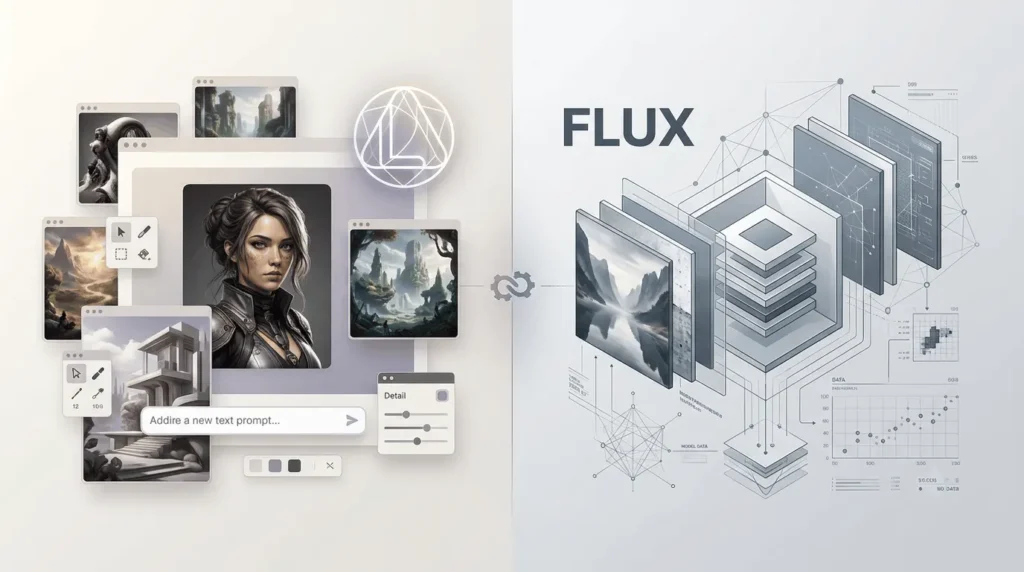
Leonardo AI vs FLUX is not quite a comparison between two equivalent tools.
Leonardo AI is an image-creation platform that brings together its own models, third-party models, and editing tools. FLUX is a family of image-generation and editing models developed by Black Forest Labs, available through different interfaces and APIs.
The short answer: Leonardo AI is a strong choice if you want an accessible creative workspace with presets, model selection, image guidance, and editing features.
Consider FLUX if you want to choose a specific generation model, integrate image generation into an application, or explore deployment options for supported open-weight models. Which produces the better image depends on the specific models, prompt, and workflow, not just the brand name.
This comparison reflects the product information available in 2026. Model availability, plan prices, and licensing can change, so check the official pages before making a purchase or deploying a model commercially.
Leonardo AI vs FLUX: A Quick Comparison
| Feature | Leonardo AI | FLUX |
|---|---|---|
| What it is | AI image and creative platform | Family of AI image models and related tools |
| Main strength | Integrated creative workflow | Model choice, generation control, and integration flexibility |
| Image quality | Depends on the selected model and settings | Depends on the FLUX version and settings |
| Model options | Leonardo models and supported third-party models | Multiple model families and variants |
| Image editing | Built-in creative tools and image guidance | Model-dependent editing, including multi-reference workflows |
| Text inside images | Depends on the selected model | FLUX.2 variants include improved text rendering |
| Reference images | Platform tools support image guidance, with plan-dependent limits | FLUX.2 supports multiple reference images, with limits varying by variant and interface |
| Free access | Free plan with daily tokens and limited model access | Depends on the model, license, and access method |
| Pricing | Subscription plans, tokens, and API options | API usage pricing, plus separate options for supported open-weight models |
| Local deployment | Primarily a hosted platform experience | Available for selected open-weight models, subject to hardware and license terms |
| Best suited for | Creators who prefer an integrated interface | Developers, technical creators, and teams needing specific model capabilities |
The distinction matters because Leonardo AI offers access to FLUX models alongside its own models.
You can use FLUX inside Leonardo AI, so choosing between them doesn’t always mean choosing one and losing access to the other.
Is Leonardo AI the Same as FLUX?
No. Leonardo AI is an AI-powered creative platform, while FLUX is a family of image-generation models developed by Black Forest Labs. Leonardo AI provides access to multiple models, including selected FLUX models, depending on current availability and plan restrictions.
FLUX models can also be accessed through supported APIs and other platforms. So the comparison isn’t simply between two image generators; it is between a creative platform and a model family.
What Is Leonardo AI?
Leonardo AI is an online creative platform for generating and editing images, creating visual assets, and working with different AI models. Instead of requiring users to install and configure a model, it provides a browser-based environment with generation settings, presets, reference-image tools, and other creative features.
Its model library includes Leonardo-developed options such as Phoenix 1.0, Lucid Origin, and Lucid Realism, as well as supported models from other providers. The exact models available depend on your plan and the platform’s current offerings.
Leonardo AI is particularly useful when you want to create visuals without building your own generation pipeline. You can experiment with different models and styles in one workspace, then use the platform’s editing and guidance features to refine the output.
Common use cases include:
- Blog featured images and editorial illustrations
- Marketing visuals and social media graphics
- Product concepts and advertising mockups
- Character design, fantasy art, and game assets
- Reference-guided image creation and visual iteration
One important detail: Leonardo AI is a platform, not a single image-generation model. Two images created inside Leonardo can look substantially different because they may use different models, settings, or reference inputs.
What Is FLUX?
FLUX is a family of generative AI models developed by Black Forest Labs.
Its image-generation lineup includes the FLUX.1 and FLUX.2 families, with different variants designed for quality, speed, editing, typography, or development use cases.
Black Forest Labs also introduced FLUX 3, a broader multimodal family that includes video capabilities, so the FLUX name now covers more than still-image generation.
For this comparison, the most relevant products are the image-generation and image-editing models, not FLUX 3’s video-generation features.
Which FLUX models should you know about?
| Model | Main use |
|---|---|
| FLUX.2 [max] | High-quality image generation and editing |
| FLUX.2 [pro] | Production workflows balancing quality, speed, and cost |
| FLUX.2 [flex] | Greater control over generation and typography-heavy images |
| FLUX.2 [klein] | Fast generation and editing for interactive or high-volume workflows |
| FLUX.2 [dev] | Development and experimentation; check its license before commercial use |
| FLUX.1 Kontext | Instruction-based image editing and transformations |
| FLUX1.1 [pro] / [pro] Ultra | Earlier-generation text-to-image options, including high-resolution output |
These variants are not interchangeable. For example, FLUX.2 [klein] is designed around fast inference, while FLUX.2 [max] prioritizes quality and more capable editing. The FLUX.2 family supports outputs up to 4 megapixels and multi-reference workflows, although supported limits and controls vary by variant and interface.
Official model references: Black Forest Labs’ model catalogue and FLUX.2 documentation.
How do Leonardo AI models compare to FLUX models?
Leonardo AI offers models such as Phoenix, Lucid Origin, and Lucid Realism, while FLUX includes variants designed for different generation and editing needs.
| Model or variant | Main focus |
|---|---|
| Leonardo Phoenix | Prompt adherence and creative image generation |
| Leonardo Lucid Realism | Realistic and cinematic imagery |
| FLUX.2 [pro] | High-quality image generation and editing |
| FLUX.2 [max] | Quality-focused generation and editing |
| FLUX.2 [flex] | Greater control for tasks such as typography |
| FLUX.2 [klein] | Faster generation and editing |
The best option depends on the task, current model availability, and settings. These models should not be treated as directly equivalent without testing them on the same prompts.
Leonardo AI vs FLUX: Which Produces Better Image Quality?
There is no universal winner. Image quality depends on the model, prompt, aspect ratio, reference images, and any editing or post-processing applied.
A fair comparison should test the same prompt in specific models rather than compare a Leonardo AI subscription against the entire FLUX family.
1. Photorealism and fine details
Both platforms can produce realistic imagery, but their results vary by model. FLUX.2 is designed for detailed images, coherent lighting, spatial relationships, and production-oriented editing.
Black Forest Labs also highlights improved textures and photorealism in its FLUX.2 materials.
Leonardo AI offers models aimed at different visual goals. For example, Lucid Realism is presented as a model for cinematic imagery, while other options target prompt adherence, text rendering, or other creative styles.
For a realistic product photograph, test a suitable FLUX.2 variant against the relevant Leonardo model. Look at material texture, shadows, reflections, object proportions, and whether the result follows your composition instructions.
2. Prompt following and composition
Prompt following is not just about including every object in an image.
It also means respecting relationships such as which object sits in the foreground, where the light comes from, how the camera is positioned, and which elements should remain unchanged. FLUX.2 emphasizes structured prompt following and spatial consistency.
Its multi-reference support is also useful when a scene needs to preserve details from several supplied images.
Leonardo AI gives creators a more integrated interface for experimenting with prompts, model choices, presets, and reference guidance. That can make iteration easier for users who do not want to configure a model pipeline themselves.
Practical verdict: FLUX.2 is worth testing for complex composition, product consistency, and reference-heavy work. Leonardo AI is worth testing when you want to explore styles and refine images inside a unified creative workspace. Neither result should be treated as guaranteed across every prompt.
3. Text rendering in images
Generating legible text is a distinct challenge from generating attractive artwork.
A model may produce a compelling poster while misspelling a headline or distorting a logo. Black Forest Labs identifies typography as a strength of FLUX.2 and positions the [flex] variant for images where text accuracy and fine control matter. Leonardo AI also lists text rendering among the capabilities of selected models, including Phoenix and Lucid Origin.
For packaging mockups, advertisements, posters, or UI concepts, test the exact text you need. Always inspect spelling, letter shapes, spacing, and logos before using the image commercially.
4. How to Compare Image Quality Fairly?
To determine which model works better for your needs, generate images using the same prompt and comparable settings. Test a product photograph, a text-heavy poster, and an image based on a reference photo.
Compare the results for detail, lighting, composition, prompt accuracy, text rendering, and consistency.
Generate several samples rather than judging a model from one image. Unless you have conducted a controlled test, avoid declaring one model the overall winner based only on general capability claims.
Leonardo AI vs FLUX: Features and Editing Compared
The biggest practical difference is how you access and control the technology.
1. Leonardo AI’s creative workflow
Leonardo AI brings generation and creative controls into one hosted interface. Depending on the plan and model, users can access features such as:
- A model library with platform and third-party options
- Presets and quality settings
- Image guidance and reference-image workflows
- Collections and private generations on eligible paid plans
- Personal AI model training on supported plans
- Additional image and video creation tools
Its pricing page lists different model-access levels, token allowances, concurrent generation limits, and private-generation features across plans. Availability varies by tier.
This integrated approach helps you move from an initial prompt to a usable visual without setting up API calls, model hosting, or local GPU software.
2. FLUX’s model and integration workflow
FLUX gives users a choice of models with different trade-offs. Depending on the model, access route, and license, you can use a hosted playground, call an API, or run supported open-weight models on your own hardware.
FLUX.2 supports workflows involving multiple reference images, image editing, and precise color control.
These capabilities can help you create product image variations, preserve a character’s appearance, or keep branding consistent across a campaign.
For developers, direct API access can make it easier to integrate image generation into a website, application, or automated content pipeline. However, that also means managing authentication, request handling, usage costs, and error cases.
3. Can you use FLUX inside Leonardo AI?
Yes, Leonardo AI supports third-party models, and its current pricing information lists FLUX Dev and FLUX Schnell among the models available for relaxed image generation on eligible plans. Exact availability depends on the plan and the current model catalogue.
That means you should compare the specific FLUX model and access method you need with Leonardo AI alternatives.
A hosted FLUX model in Leonardo may be more convenient than running FLUX locally, while direct access to Black Forest Labs’ models may offer different variants, controls, and billing.
Leonardo AI vs FLUX: Pricing Compared
The pricing models are different. Leonardo AI primarily offers subscriptions with monthly or daily token allowances, while Black Forest Labs lists usage-based API pricing for its hosted FLUX models.
Some FLUX models can also be run locally, but hardware requirements and licensing affect the real cost.
Leonardo AI subscription pricing
The official pricing page currently lists these individual plans in US dollars, before applicable taxes.
| Plan | Listed price | Fast tokens | Best for |
|---|---|---|---|
| Free | $0/month | 150 daily | Trying the platform |
| Essential | $12/month | 8,500 monthly | Regular personal use |
| Premium | $30/month | 25,000 monthly | Frequent creation and relaxed image generation on eligible models |
| Ultimate | $60/month | 60,000 monthly | High-volume creative work and additional relaxed-generation access |
Prices and allowances are based on the official pricing page checked for this article and may change.
Taxes, regional billing, and promotions may affect the amount you pay. Leonardo AI uses tokens for many generations.
The number consumed can vary by model and task. Premium and Ultimate plans also include relaxed generation for selected models, allowing eligible image generation to continue at lower priority after fast tokens run out. This does not apply to every model or feature.
Check the official Leonardo AI pricing page before subscribing.
FLUX API pricing
Black Forest Labs prices several FLUX.2 models, priced by output resolution (megapixels, MP). The official model documentation lists the following starting prices:
| FLUX model | Text-to-image API price | Editing API price |
|---|---|---|
| FLUX.2 [klein] 4B | From $0.014 | Check current endpoint pricing |
| FLUX.2 [klein] 9B | From $0.015 | Check current endpoint pricing |
| FLUX.2 [pro] | From $0.03/MP | From $0.045/MP |
| FLUX.2 [max] | From $0.07/MP | From $0.07/MP |
| FLUX.2 [flex] | $0.05/MP | $0.10/MP |
These figures use the units and starting prices shown in Black Forest Labs’ published model information. For [klein], the published starting figures are not expressed per megapixel in the same way as the other rows, so do not compare them as if they were identical billing units. Check the current API pricing page and endpoint documentation for the exact request you plan to use.
Official reference: FLUX models and pricing information.
Which option is cheaper?
It depends on how much you generate and how you access the models.
- Occasional creator: Leonardo AI’s free plan is a straightforward starting point.
- Frequent creator: A Leonardo subscription may offer convenient access to multiple models and eligible relaxed generations.
- Developer generating images at scale: FLUX API billing can make per-output costs easier to estimate, but you must account for resolution, editing, retries, and application infrastructure.
- Technical user running models locally: An eligible open-weight FLUX model may reduce per-image service charges, but hardware, electricity, setup, and licensing still matter.
Do not assume that every FLUX model is free because some have open weights. The model license determines permitted use, and API access can still cost money.
How Much Does Each Image Really Cost?
The cheapest option depends on how frequently you generate images and how you access the models.
Leonardo AI subscriptions include token allowances and access to selected features, while FLUX API costs depend on the model, output resolution, and request type.
For a fair comparison, calculate the cost of producing 100 usable images, including failed attempts, edits, and repeated generations. Also consider whether you need a monthly subscription, API integration, or local hardware.
A low API price per output does not automatically make it cheaper than a subscription for every workload.
Commercial Use and Licensing: What Should You Check?
If you plan to use generated images in advertising, client work, products, or monetized websites, examine the applicable terms rather than relying on the model name alone.
Leonardo AI’s pricing information states that paid subscribers retain ownership and intellectual property rights in their generated images for commercial projects.
Free users are granted a non-exclusive, royalty-free commercial-use license, while Leonardo AI retains rights in those creations under its published terms. Read the current agreement for details and any exceptions.
FLUX licensing varies by model and access method. For example, the official model information identifies FLUX.2 [klein] 4B as Apache 2.0, while the 9B variant uses the FLUX Non-Commercial license. FLUX.2 [dev] is described as intended for non-commercial use. Do not assume the terms for one variant apply to another.
Before using either option commercially, verify:
- The exact model and version used
- The license or platform terms for your access method
- Whether client work, redistribution, or local deployment is permitted
- Any restrictions on sensitive, copyrighted, or trademarked content
- Whether your workflow requires additional rights for reference images, logos, or likenesses
Generated images may also raise legal or policy questions that are separate from the model license. A license is not a guarantee that every possible use is legally safe.
How to Compare Leonardo AI and FLUX Yourself?
A controlled test is more useful than choosing based on isolated social media examples. Use the following workflow to evaluate both options for your own needs.
- Choose a specific task. For example, a photorealistic product image, a cinematic landscape, a poster with text, or a consistent character.
- Use the same prompt. Keep the subject, composition, lighting, background, and aspect ratio as consistent as the interfaces allow.
- Select comparable models. Compare a relevant Leonardo model against a suitable FLUX variant, not an unspecified Leonardo output against the whole FLUX family.
- Generate several samples. A single output may reflect randomness rather than the model’s typical performance.
- Evaluate the same criteria. Check prompt adherence, visual quality, text accuracy, object consistency, editing effort, generation time, and total cost.
- Repeat with an editing task. Ask each tool to change one object while preserving the rest of the image, if both workflows support that operation.
- Record your results. Keep prompts, model names, settings, and costs so you can reproduce the test later.
For example, ask both systems to create a premium skincare product photograph with a glass bottle, a beige background, soft side lighting, and a specific composition. Compare reflections, label placement, shadows, and whether the bottle stays consistent across variations.
For a typography test, use a short, exact headline. Inspect every letter rather than judging the result only by its overall design. If you need a production-ready logo or label, manual verification is still important.
Leonardo AI vs FLUX: Which Should You Choose?
Choose based on your workflow rather than assuming one name always means better quality.
Choose Leonardo AI if
- You prefer a browser-based creative platform.
- You want presets, model selection, and editing tools in one place.
- You create blog images, social graphics, concept art, or marketing visuals.
- You want a subscription instead of managing API requests or local model setup.
Choose FLUX if
- You need a particular model variant for a defined task.
- You want API integration for a website or application.
- You need multi-reference editing or controlled image variations.
- You are comfortable evaluating deployment options and model licenses.
Consider using both if
- You want Leonardo AI’s interface but also want to evaluate specific FLUX models.
- Your work spans quick ideation and more controlled production tasks.
- You need to compare output quality and costs before committing to a workflow.
Which Is Better for Your Use Case?
- Beginners: Leonardo AI is a convenient starting point because its interface brings multiple models and creative tools together.
- Bloggers and marketers: Compare both for featured images, advertisements, product visuals, and social media graphics.
- Designers: Evaluate reference-image support, editing controls, and consistency across multiple images.
- Developers: FLUX API access may suit integrating image generation into applications and automated workflows.
- Technical users: Supported open-weight FLUX models may offer local deployment options, subject to hardware requirements and licensing.
The best choice depends on the specific model and workflow, not the product name alone.
What key Limitations should you keep in mind?
Neither option guarantees perfect images from every prompt.
- Prompt sensitivity: Small wording changes can alter composition, details, or style.
- Text and logos: Even models with improved text rendering can make mistakes that require correction.
- Consistency: Maintaining the same character or product across many images may require reference images, careful prompting, or editing.
- Cost variability: Token usage, output resolution, repeated attempts, and API usage can change the final cost.
- Model availability: Platforms may add, remove, or change access to third-party models.
- Licensing: Local weights, hosted APIs, and platform subscriptions may have different terms.
The best test is the work you actually need to produce. A model that performs well on a cinematic portrait may not be the best choice for packaging text, product placement, or a repeatable design pipeline.
Final Thuoghts
Leonardo AI vs FLUX comes down to an integrated creative platform versus a family of specialized models. Leonardo AI is a practical starting point for creators who want to generate, explore, and refine images in one place.
FLUX is compelling when you need a particular model’s capabilities, more direct technical control, or integration into a production workflow. Neither is automatically superior for every image.
Test models that match your use case, compare results and total cost, and confirm licensing terms before choosing a long-term workflow.
Frequently Asked Questions (FAQs)
1. Is Leonardo AI better than FLUX?
Not in every situation. Leonardo AI is a creative platform with multiple models and integrated tools, while FLUX is a model family. The better choice depends on the specific models, image task, editing needs, and workflow.
2. Is FLUX available in Leonardo AI?
Yes. Leonardo AI’s current model and pricing information lists supported FLUX models, including FLUX Dev and FLUX Schnell. Availability and access conditions depend on the current plan and platform offering.
3. Is FLUX free to use?
Some FLUX models are open-weight and can run locally under their respective licenses. However, not every model is free for commercial use, and hosted API access may cost money. Always check the license for the exact model you intend to use.
4. Which is better for photorealistic images?
Both can create photorealistic images. FLUX.2 is designed for detailed generation and editing, while Leonardo AI offers models for different styles and creative tasks. Compare specific models using the same prompt before choosing.
5. Which is better for images containing text?
FLUX.2 [flex] is specifically positioned for typography-heavy tasks, while selected Leonardo models also advertise text-rendering capabilities. Test the exact wording you need, and verify every letter before publishing the result.
6. Can I use Leonardo AI or FLUX for commercial projects?
Both can support commercial workflows, but the applicable terms depend on the platform, subscription, model, and license. Leonardo AI has different terms for free and paid users, while FLUX models have licensing that varies by variant. Review the current terms before using images in paid client work or commercial products.
Also Read –
Leonardo AI: What It Is and How It Works? Features, Tools & Models
Leonardo AI Models: Complete Guide to Models & Capabilities
Is Leonardo AI Free? Free Plan, Limits, Tokens & Paid Features
Leonardo AI vs Midjourney: Features, Image Quality, Pricing & Differences