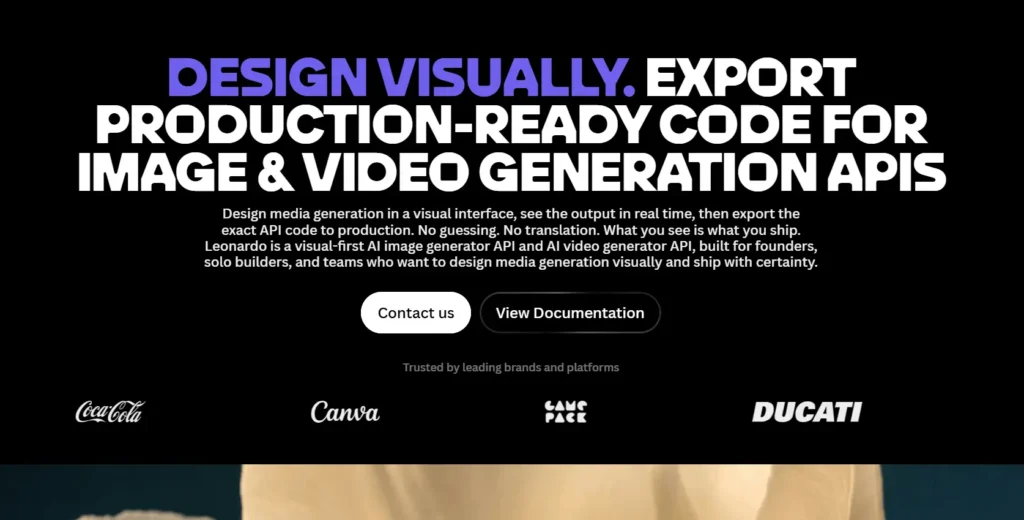
Leonardo AI API lets developers integrate AI-generated images, video, and other creative media into websites, applications, automated workflows, and commercial products.
It supports workflows such as text-to-image, image-to-image, image-to-video, upscaling, and custom model training, with capabilities that vary by model and endpoint.
Leonardo’s API uses pay-as-you-go pricing for new users, with costs based on the models and features used rather than a single flat price for every generation.
Developers can create an API account, obtain an API key, test requests, and use the platform’s visual interface to export code for supported models.
What Is the Leonardo AI API?
The Leonardo AI API is a developer interface that allows software to access Leonardo’s AI media-generation capabilities programmatically.
Instead of manually creating every image or video in the web application, a developer can send requests from an application, receive a generation ID, and retrieve the resulting media when processing finishes.
For example, an e-commerce platform could send a product description to an image-generation model, create promotional artwork, and display the result within its own dashboard. A content platform could automate thumbnail creation, while a creative application could let users generate or edit images without leaving the product.
The API is useful for:
- Integrating AI image generation into websites and mobile apps.
- Automating image creation for marketing and publishing workflows.
- Generating or animating media from prompts and reference images.
- Building applications around supported Leonardo and third-party models.
- Running repeatable workflows using API requests or reusable Blueprints.
Leonardo also provides a visual-first workflow: developers can experiment with settings in the web app and export API code for supported generations.
This will help reduce the guesswork involved in translating a visual experiment into an API request.
What are the Key Features of the Leonardo AI API?
1. Text-to-image generation
Text-to-image lets an application create images from written prompts. A developer sends a description, selects a supported model, configures relevant parameters, and retrieves the generated output.
Common uses include:
- Blog illustrations and article thumbnails.
- Product concepts and advertising assets.
- Game assets and character concepts.
- Social media graphics.
- Custom visuals inside SaaS applications.
The quality and style depend on the chosen model, prompt, dimensions, and other supported parameters.
2. Image-to-image generation and image guidance
The API supports workflows that use an existing image as a starting point or reference. Depending on the model, developers can use uploaded images to guide composition, appearance, or other visual characteristics.
For example, a product-design tool could accept a rough concept image and produce a more polished variation. An application might also use reference images to keep a series of generated assets visually consistent.
Check the documentation for the selected model before assuming it supports every reference or editing option.
3. AI video generation
Leonardo’s API also supports video generation, including text-to-video and image-to-video workflows.
In an image-to-video request, a supported model can use a starting image and a motion prompt to create a clip. Some available video models also support synchronized audio.
Possible applications include:
- Animating product images.
- Creating short marketing clips.
- Generating video assets for content platforms.
- Building media-generation features into creative software.
Video generation can have different pricing, parameters, processing times, and availability from image generation. Confirm these details for the model and endpoint you intend to use.
4. Access to multiple AI models
Leonardo’s API provides access to a model catalogue that includes Leonardo models and supported third-party models.
Available options vary by task and may change as the platform evolves.
Developers can explore models for general image creation, photorealism, text rendering, image editing, and video generation.
A model’s availability in the web application does not automatically guarantee that it is supported by every API endpoint.
5. Custom model training
Leonardo documents API access for training custom fine-tuned models and generating content with supported custom model IDs. This can help teams develop a more consistent visual style for a particular product, character, or creative project.
Custom training is an additional workflow rather than a requirement for ordinary image generation.
Check the training documentation and cost calculator before building it into your budget.
6. Blueprints and reusable workflows
Blueprints are reusable workflows for tasks such as mood boards, bulk resizing, product mockups, and upscaling.
They can be executed through the Production API, making them useful for developers who want to start from an established workflow rather than assemble every step manually.
7. Usage monitoring and cost controls
The API account provides usage tracking and a pricing calculator. Developers can estimate request costs, see how model choice and output settings affect spending, and set up automatic credit top-ups. Custom plans are available for eligible higher-volume workloads.
Leonardo AI API Models: Which Ones Can You Use?
The available API models depend on the current catalogue, endpoint, and model-specific requirements.
Leonardo’s documentation provides a model-list endpoint that returns production API models and their parameter specifications.
You can also use the model guide or the Get API Code feature to identify the correct model ID.
Here are examples of model families and options surfaced in Leonardo’s current API materials:
| Model or model family | Typical use | Important consideration |
|---|---|---|
| Lucid Origin | General-purpose image generation | A versatile starting point for different visual styles |
| Lucid Realism | Photorealistic imagery | Test details and realism against your own prompts |
| Phoenix | Prompt-led image generation | Check the current model ID and supported parameters |
| Ideogram | Typography-focused images | Confirm the exact Ideogram version available through the API |
| GPT Image | Image generation and editing workflows | Third-party model pricing and parameters may differ |
| Nano Banana | Image generation and editing workflows | Availability depends on the current model catalogue |
| Video models | Text-to-video and image-to-video | Supported inputs, audio, duration, and costs vary by model |
These are examples, not a complete or permanent model list.
Some names refer to model families, and the exact model IDs or supported versions may change. Consult the official Leonardo API model reference before integrating a specific option.
How to choose a model?
Select the model according to the output you need:
- General artwork: Start with a general-purpose image model.
- Photorealistic images: Test a model designed for realistic output.
- Text within images: Evaluate a typography-focused model.
- Image editing: Verify that the model supports the required reference or editing operation.
- Video: Select a supported video model and check its required inputs and parameters.
For production applications, avoid hard-coding assumptions about model capabilities. Keep model IDs and generation settings configurable so that you can change models when the catalogue evolves.
Leonardo AI API Pricing: How Much Does It Cost?
Leonardo’s API pricing is separate from its regular web-app subscriptions.
The current self-service API model uses pay-as-you-go billing, with no fixed monthly API fee for new users. You add credit to your API balance, and charges depend on the models and features used.
How API costs are calculated?
Your total cost depends on factors such as:
- The selected model.
- The number of images or videos requested.
- Image resolution and other generation settings.
- Additional operations, such as model training or background removal.
- Whether the request uses a model or feature with a different pricing structure.
Leonardo provides an API pricing calculator in the API section of its application. It lets you estimate costs before running requests and see how model selection, resolution, and output quantity affect the price.
API pricing options
| Option | How it works | Best suited for |
|---|---|---|
| Pay as you go | Add credit and pay for API usage | Developers testing or running applications with variable demand |
| Automatic top-ups | Add credit when the balance reaches a configured threshold | Applications that need to reduce interruptions |
| Custom API pricing | Contact Leonardo for eligible volume discounts, concurrency, or support | Higher-volume production deployments |
API credit balances do not expire under the current pay-as-you-go terms.
If the balance reaches zero, requests pause until you add more credit. Custom pricing and per-model discounts are not automatically applied to all self-service accounts.
Important: Do not use Leonardo's consumer subscription token allowances to estimate API costs. The two billing systems are different. Before launching, calculate the cost of a typical request and multiply it by your expected monthly usage.
How to Get Started With the Leonardo AI API?
You do not need to build a complete application before trying the API. Start with a small test request, verify the output, and then add it to your own software.
Step 1: Create an API account
Sign in to the Leonardo AI web app. Open API Access, set up API access, and add credit if required. API access and billing are separate from the free or paid web-app subscription.
Step 2: Generate a Production API key
Create a Production API key in the API Access area. Leonardo’s documentation identifies the Production API key as the current key type for new integrations; older User API keys are deprecated.
Keep the key private. Do not embed it in browser JavaScript, a public mobile application, or source code that users can inspect. Store it in a server-side environment variable or a secure secrets manager.
Step 3: Choose a model and inspect its requirements
Use the model reference to discover available models and their parameter specifications.
Check the selected model’s guide for required fields, supported dimensions, image quantity, and optional settings. A request that works for one model may not work for another.
Step 4: Generate a test image in the web app
If the selected model supports it, generate an image in Leonardo’s web application first. Adjust the prompt and settings until you get the intended result.
Then select the generation menu and choose Get API Code. Leonardo can export code in cURL, Python, or Node.js for supported models, including the relevant model ID and settings.
Step 5: Send a request and retrieve the output
The API supports asynchronous generation workflows. You submit a job, receive a generation ID, and retrieve the result after processing completes. For supported endpoints, you can also configure a webhook to receive completion notifications instead of repeatedly polling for status.
Leonardo AI API Example: Generate an Image With cURL
The following example illustrates a basic image-generation request using the documented krea-2-turbo model format. Replace the placeholder API key with your own secret and verify the model’s current availability before running it.
curl –request POST
–url https://cloud.leonardo.ai/api/rest/v2/generations
–header “accept: application/json”
–header “authorization: Bearer YOUR_API_KEY”
–header “content-type: application/json”
–data ‘{
“model”: “krea-2-turbo”,
“parameters”: {
“width”: 1024,
“height”: 1024,
“prompt”: “A premium minimalist product photograph of a ceramic coffee mug on a light stone surface, soft natural window light, realistic materials, clean composition”,
“quantity”: 1
},
“public”: false
}’
What the request parameters mean?
| Parameter | Purpose |
|---|---|
| model | Specifies the model ID used for generation |
| parameters.prompt | Describes the image to create |
| parameters.width and height | Define the requested image dimensions |
| parameters.quantity | Sets the number of requested outputs |
| public | Controls whether the generated image appears in the community feed |
These parameters follow the current Krea 2 Turbo example in Leonardo’s documentation.
Other models may use different required fields or supported values.
What happens after you submit the request?
For an asynchronous generation request, the response provides a generation ID that your application can use to retrieve the result. The image may not be ready immediately, so your application should handle pending, completed, and failed states.
A production workflow should:
- Submit the generation request.
- Save the returned generation ID.
- Wait for a completion webhook or check the generation status using the documented retrieval endpoint.
- Retrieve the completed image URL.
- Store or deliver the result according to your application’s requirements.
Leonardo recommends webhooks as an efficient alternative to frequent polling. If you configure a webhook, use an HTTPS callback URL and authenticate incoming notifications appropriately.
Practical Use Cases for the Leonardo AI API
1. AI image generation tools
Developers can add prompt-based image generation to a website or application. Users enter a description, select available settings, and receive generated artwork without opening Leonardo’s web interface separately.
2. E-commerce product visuals
An e-commerce application could use image generation to explore campaign concepts, create lifestyle-style product scenes, or produce draft promotional assets. Generated results should be reviewed to ensure that product appearance, branding, and claims remain accurate.
3. Automated content production
Publishing systems can integrate image generation into their content workflows. For example, a content management system could submit prompts for article illustrations and then attach approved results to draft posts.
4. Marketing and advertising platforms
A marketing application can generate multiple creative directions for an advertisement, product launch, or social campaign. Teams can then select and refine outputs before publishing them.
5. Creative SaaS products
A SaaS platform can offer AI-generated visuals as a feature within its own user interface. Usage limits, credit accounting, moderation, and cost controls should be designed into the application rather than left entirely to the API account owner.
6. AI video applications
Developers can integrate supported text-to-video and image-to-video models to create short clips from prompts or existing images. Video workloads should be budgeted separately because their processing requirements and pricing may differ from image generation.
Leonardo AI API vs the Leonardo AI Web App
The web app is designed for interactive media creation and refinement.
The API lets software request media generation and integrate the results into automated workflows.
| Feature | Leonardo AI Web App | Leonardo AI API |
|---|---|---|
| Main purpose | Manual creative work | Programmatic integration |
| User interaction | Visual interface and controls | Requests sent by code |
| Automation | Primarily user-driven, with platform tools | Suitable for application-driven workflows |
| Billing | Subscription tokens and plan features | Separate API usage billing |
| Model selection | Through the interface and current plan | Through supported API model IDs and parameters |
| Integration | Used directly by creators | Integrated into websites, services, and backend systems |
| Best suited for | Individuals and teams creating content interactively | Developers building products or automating generation |
The web app can still help API developers: the Get API Code feature lets you transfer a supported visual generation setup into a programmatic request.
However, the selected model must support API access, and API pricing should be checked independently.
What are the Limitations and Best Practices?
Before deploying the API in a production application, consider the following points.
- Model availability can change – Verify current model IDs and endpoint compatibility before deployment.
- Generation is not always immediate – Build asynchronous status handling or webhook processing into your workflow.
- Costs vary by configuration – Estimate costs using realistic prompts, dimensions, output quantities, and model choices.
- API keys require protection – Keep credentials on the server and never expose them in client-side code.
- Outputs need review – Generated images and videos can contain visual errors, inaccurate text, or details that do not match the prompt.
- Privacy settings matter – Leonardo states that API inputs are private and are not used for training, and API-generated images are not used for training. Set the
publicparameter appropriately and review current terms for your intended use.
For larger workloads, monitor concurrency and usage limits.
Leonardo offers custom API arrangements for eligible customers who need increased concurrency, model-based discounts, or dedicated support.
Final Thoughts
Leonardo AI API lets developers integrate image generation, video creation, image editing, and other supported creative workflows into their applications.
Its model selection, asynchronous requests, reusable Blueprints, and code-export tools can help developers move from experimentation to production.
The most important consideration is pricing: API usage is billed separately from web-app subscriptions, and costs vary by model and configuration.
Start with a small test, confirm that your chosen model supports the required workflow, estimate usage with the official pricing calculator, and implement secure API-key handling and reliable completion processing before scaling up.
Frequently Asked Questions (FAQs)
1. Is the Leonardo AI API free?
API access is separate from Leonardo’s free web-app plan. You need API access and may need to add API credit before making billable requests. The current self-service API model uses pay-as-you-go pricing.
2. How much does the Leonardo AI API cost?
There is no single price for every generation. Costs depend on the model, features, and request settings. Use the pricing calculator in the API section of the Leonardo app to estimate the cost of your intended workload.
3. Which models are available through the Leonardo AI API?
The API supports a changing catalogue of Leonardo and third-party models for image and video workflows. Use the official model reference to check current model IDs, availability, and parameter requirements.
4. Can I use Leonardo AI API images commercially?
Leonardo states that API-generated outputs are assigned to the user under its Terms of Service and can be used commercially, subject to those terms. Review the applicable terms and any third-party rights before using outputs in a commercial product.
5. Can I use the Leonardo AI API with Python or Node.js?
Yes. Leonardo supports programmatic API requests, and its Get API Code feature can export Python, Node.js, or cURL examples for supported generations. Use these snippets as a starting point for a backend integration.
6. Does the Leonardo AI API support video generation?
Yes. Leonardo provides API workflows for text-to-video and image-to-video generation through supported models. Available options, parameters, and costs depend on the selected model.
Also Read –
Leonardo AI Models: Complete Guide to Models & Capabilities
Is Leonardo AI Free? Free Plan, Limits, Tokens & Paid Features
Leonardo AI vs Midjourney: Features, Image Quality, Pricing & Differences