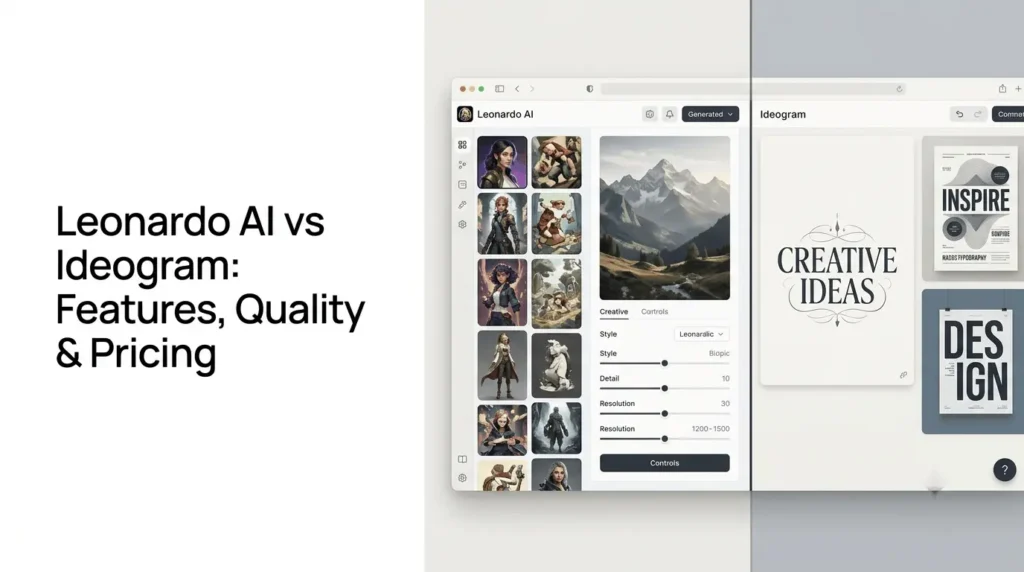
Leonardo AI vs Ideogram comes down to creative flexibility versus design-focused image generation.
Leonardo AI offers a broad creative workspace with multiple image models, reference-image controls, editing tools, and video generation. Ideogram is particularly useful for typography-heavy visuals, including posters, logos, advertisements, and social media graphics, where readable text and layout accuracy matter.
However, the distinction is not absolute: Leonardo AI also offers models designed for accurate text rendering, and its model library includes Ideogram models.
Leonardo AI vs Ideogram: A Quick Comparison
| Feature | Leonardo AI | Ideogram |
|---|---|---|
| Primary strength | Broad creative image and video workflow | Typography, graphic design, and image composition |
| Image models | Multiple first-party and third-party models | Ideogram’s model family and additional tools |
| Text rendering | Strong with models such as Lucid Origin and Phoenix | A central strength, especially with Ideogram 4.5 |
| Photorealistic images | Supported across suitable models | Supported, with quality depending on model and prompt |
| Image editing | Canvas, image guidance, upscaling, and model-dependent editing | Editing, Remix, Magic Fill, Reframe, and background replacement, depending on the model and plan |
| Reference images | Image guidance and reference controls | Image references and character consistency features |
| Video generation | Available, with model and plan restrictions | Video generation and related tools are available in its broader product offering |
| Free access | 150 daily tokens | Free access with limited or variable generation allowances |
| Paid plans | Essential, Premium, and Ultimate | Plus, Pro, Team, and enterprise options |
| Best suited for | Creators who want a versatile creative workspace | Creators who prioritize text, posters, logos, and designed layouts |
These are platform-level differences, not guarantees that one will outperform the other for every image.
Both services provide different models and generation settings, so results can vary considerably by task.
What Is Leonardo AI?
Leonardo AI is a creative platform for generating and editing images, creating videos, and developing visual assets with AI models.
Instead of relying on a single image generator, it offers a selection of its own models and models from other providers.
Its current model catalogue includes Lucid Origin, Lucid Realism, Phoenix, and third-party options such as Ideogram, GPT Image, Nano Banana, and FLUX variants.
The available selection can change over time.
Leonardo AI’s main features
- Multiple image models: Choose models based on your desired visual style, prompt adherence, realism, or text-rendering needs.
- Image guidance: Use reference images to influence the output, with supported reference types and limits depending on the model and plan.
- Editing and refinement: Use available editing tools, canvas features, background removal, and upscaling to refine generated images.
- Personal AI models: Paid plans include options to train personal models within plan-specific limits.
- Video creation: Generate video using supported models, subject to token costs and subscription restrictions.
- Flexible generation settings: Adjust image dimensions, output quantity, generation mode, and other model-specific settings.
Leonardo AI is useful when image generation is only one part of a broader production workflow, for example, creating a product concept, refining it with reference images, and preparing several visual assets for a campaign.
Exact controls and results depend on the model you select.
What Is Ideogram?
Ideogram is an AI image-generation platform known for producing images that incorporate text and typography.
It is especially useful for creators who need visual designs with text, such as promotional posters, product ads, logos, thumbnails, and social media graphics.
Its current model lineup includes Ideogram 4.5, which supports image generation and editing workflows, plus tools for remixing, reframing, and replacing backgrounds.
The platform also offers reference-image features and a canvas-based editing workflow.
Ideogram’s main features
- Text rendering: Generate images that incorporate requested words and typography into the design.
- Graphic design: Create posters, promotional materials, logos, and marketing visuals.
- Image editing: Refine images through editing, Remix, and other supported tools.
- Reference images: Use visual references to guide generation and maintain a desired direction.
- Character consistency: Supported workflows help maintain character appearance across creations.
- Reframing and background replacement: Adapt existing images for different compositions or use cases.
Ideogram is particularly relevant when the text is part of the image itself rather than something you plan to add later in a separate design application. However, important brand names, fine print, and other critical text should still be checked manually.
Leonardo AI vs Ideogram: Which Produces Better Image Quality?
Neither platform produces the best image in every category. Image quality depends on the model, prompt, reference material, generation settings, and the type of visual being created.
1. Photorealism and artistic images
Leonardo AI offers several models for different visual goals.
Lucid Realism is designed for cinematic imagery, while other models focus on prompt adherence, creative visuals, or specific styles. This gives users flexibility when producing concept art, product mockups, characters, landscapes, and marketing imagery.
Ideogram also supports realistic and stylized image generation. Its strength in typography and composition can be especially useful for designed visuals, although it should not be assumed to outperform Leonardo on every realistic-image task.
Practical recommendation: Generate the same prompt with comparable settings in both platforms. For photorealistic portraits, product images, or cinematic scenes, compare details such as hands, textures, lighting, object consistency, and adherence to the requested composition.
Prompt adherence and composition
Both tools can interpret detailed prompts, but their performance depends on the selected model.
Leonardo’s Lucid Origin and Phoenix models are explicitly positioned around prompt adherence, while Ideogram 4.5 emphasizes text rendering and faithful image references.
For a prompt containing multiple objects, precise positioning, specific colors, and text, compare whether each output preserves the requested elements without adding unwanted details.
| Image task | What to evaluate |
|---|---|
| Photorealistic product shot | Material, lighting, proportions, and fine detail |
| Character illustration | Facial consistency, anatomy, and style |
| Cinematic scene | Composition, atmosphere, and visual coherence |
| Advertising graphic | Layout, readable text, and product placement |
| Detailed prompt | Accuracy of objects, colors, and relationships |
The best result is the image that meets the brief with the least correction, not necessarily the one that looks most impressive at first glance.
Leonardo AI vs Ideogram: Which Is Better for Text Rendering?
Ideogram is a strong choice when accurate typography is central to the image.
It is designed for visual content where words, lettering, and layout are part of the generated composition. Leonardo AI can also generate text effectively with suitable models, including Lucid Origin and Phoenix.
For example, imagine creating a poster that reads “Summer Sale – 30% Off” with a product image, a headline, and a clear visual hierarchy.
Ideogram is a natural candidate because the requested wording is integral to the design.
Leonardo is also worth testing, especially if you want to compare multiple models or keep working on the image within a broader creative workflow.
Which platform offers better image editing and creative control?
The platforms differ not only in image generation but also in how users refine their results.
Leonardo AI’s editing workflow
Leonardo offers image guidance, canvas tools, upscaling, and other refinement features.
Its broader model library also lets users switch models based on the project. Some capabilities are restricted by model, plan, or generation mode.
This workflow can suit creators who need to iterate across several stages: establish a concept, guide the output with a reference image, refine selected elements, and prepare assets for different placements.
Ideogram’s editing workflow
Ideogram provides tools including Remix, editing, Reframe, and background replacement, with availability and costs depending on the feature and model.
Its reference-image and character-consistency workflows can also help creators maintain a more consistent visual direction across a series of images.
This is useful when adapting a poster to another format, exploring alternate compositions, or refining an existing design instead of starting over.
Which offers more control? Leonardo is worth considering for a broader, model-flexible creative workflow.
Ideogram is a strong candidate for typography-led designs and its particular editing tools. The most useful comparison is to test the exact editing action you need in each product.
Which platform offers better pricing, Leonardo or Ideogram?
Both platforms offer free access and paid options, but their billing structures differ.
Leonardo uses tokens, with the number required depending on the model and generation settings. Ideogram uses subscription credits and also offers pay-as-you-go API access.
The following prices are in US dollars and should be checked on the official pricing pages before purchase.
1. Leonardo AI pricing
| Plan | Listed price | Included allowance |
|---|---|---|
| Free | $0/month | 150 daily fast tokens |
| Essential | $12/month | 8,500 fast tokens/month |
| Premium | $30/month | 25,000 fast tokens/month |
| Ultimate | $60/month | 60,000 fast tokens/month |
Leonardo’s paid plans also differ in private generations, model access, concurrent generations, token rollover, and relaxed generation for selected models.
Unlimited relaxed generation does not apply to every model, particularly some third-party models
2. Ideogram pricing
| Plan | Listed price | Main allowance or benefit |
|---|---|---|
| Free | $0 | Limited free access; allowance can vary |
| Plus | $20/month or $15/month billed annually | 2,400 priority credits/month |
| Pro | $60/month or $42/month billed annually | 7,500 priority credits/month |
| Team | $20/user/month, as listed | Team-oriented features and credits |
| Enterprise | Custom pricing | Business and administration options |
Ideogram’s pricing page also lists pay-as-you-go API credits at $0.01 per credit.
Generation costs vary by model, rendering speed, image dimensions, and editing operation.
Subscription pricing and credit allowances may change, so verify the selected billing cadence before subscribing.
3. Which platform is more affordable?
There is no reliable one-number answer because the two platforms use different credit systems.
A lower monthly subscription does not necessarily mean a lower cost per usable image.
To compare costs fairly:
- Choose the same type of image and similar output dimensions.
- Generate several examples rather than judging from one result.
- Record the credits or tokens consumed for each output.
- Include editing, upscaling, and regeneration in your calculation.
- Compare the number of final, usable images—not simply the number generated.
Leonardo’s Premium and Ultimate plans can provide relaxed generation for selected models after you exhaust the included fast tokens. Ideogram offers unlimited slow credits on eligible paid plans, while priority credits are limited by the subscription allowance.
These options affect the value of each plan for high-volume creators
What makes it important that Leonardo AI offers Ideogram models?
One detail can change how you compare these tools: Leonardo AI’s model library includes Ideogram models.
Its official model catalogue lists Ideogram 4.5 and Ideogram 4.0 alongside Leonardo’s own models and models from other providers.
That means the comparison is not always between two completely separate image-generation technologies. You may be comparing Ideogram’s dedicated platform with access to an Ideogram model inside Leonardo’s broader creative environment.
Consider these scenarios:
- You want Ideogram primarily for typography: Start with Ideogram’s own interface and design workflow.
- You want to compare different image models in one workspace: Leonardo may be more convenient because it brings multiple model families together.
- You already use Leonardo: Check whether your plan includes the Ideogram model and the controls you need before paying for a separate subscription.
- You need a particular editing feature: Compare its availability in both interfaces. Access to the same model does not guarantee identical controls, credit costs, or editing workflows.
Model availability can change, so check the current catalogue before subscribing.
Which Should You Choose for Your Use Case?
Choose the model that matches the work you do most often, rather than relying on a general claim that one generator is better.
| Use case | Suggested starting point | Why |
|---|---|---|
| Posters and typography-led graphics | Ideogram | Text and layout are central to its workflow |
| Logos and branding concepts | Ideogram | Useful for exploring lettering and design directions |
| Photorealistic concept images | Leonardo AI | Offers multiple models for different visual styles |
| AI art and character concepts | Leonardo AI | Broad model selection and reference-based controls |
| Social media advertisements | Either | Compare text accuracy, composition, and revisions |
| Product mockups | Either | Judge object accuracy, realism, and layout |
| Multi-model experimentation | Leonardo AI | Multiple model families are available in one workspace |
| High-volume image production | Either | Calculate cost per usable image and queue limits |
| Video alongside image creation | Leonardo AI | Offers video generation through supported models and plans |
These are starting recommendations, not universal performance rankings.
Both platforms evolve, and the selected model can matter more than the platform name.
What are the Pros and Cons of Leonardo AI vs Ideogram?
Leonardo AI
Pros
- Offers multiple AI models for different image styles and creative needs.
- Includes image editing, reference controls, upscaling, and video generation.
- Provides flexibility for broader creative workflows.
Cons
- Token consumption varies by model and generation settings.
- Text accuracy can vary depending on the selected model.
- Some advanced features require paid plans.
Ideogram
Pros
- Strong at generating typography-focused images, posters, and marketing graphics.
- Offers useful editing, remixing, and image-reframing tools.
- Supports creative workflows involving text and visual composition.
Cons
- Free access has limited generation allowances.
- Complex text and fine print still require manual checking.
- Credit costs and feature availability vary by plan and workflow.
What limitations should you consider before paying?
Neither tool eliminates the need for human review. AI-generated images may contain incorrect text, inconsistent details, distorted objects, or elements that do not match the prompt.
Before choosing a paid plan, consider the following:
- Text accuracy: Check every word in generated posters, logos, and advertisements.
- Editing consistency: Some changes can unintentionally alter other parts of an image.
- Credit consumption: Higher-quality settings, reference images, and advanced editing can cost more.
- Privacy: Review the platform’s current generation-visibility settings and terms before uploading confidential assets.
- Commercial use: Read the applicable terms for your account and intended use, especially for client work, branding, and assets based on third-party material.
- Model access: A model or feature shown in a product catalogue may have plan-specific restrictions or different costs.
For client projects, evaluate the final output at its intended size and check licensing requirements before publishing it.
Final Thoughts
The choice between Leonardo AI and Ideogram depends on whether you need a broad creative workspace or a workflow focused on typography and designed visuals.
Leonardo AI offers multiple image models, reference controls, editing tools, and video generation. Ideogram is especially relevant for posters, logos, advertisements, and other designs where readable text is essential.
There is also overlap; I have seen that Leonardo AI provides access to Ideogram models, so you may not need separate subscriptions for every workflow.
Test the same prompts, compare the final results, and check current model access and pricing before committing to either platform.
Frequently Asked Questions
1. Is Leonardo AI better than Ideogram?
Neither is universally better. Leonardo AI suits users who want a broad selection of creative models and image-production tools, while Ideogram is a strong option for typography-heavy designs. Compare the specific models and workflows you plan to use.
2. Is Ideogram better for text in images?
Ideogram is particularly focused on text rendering and typography-led visuals. Leonardo AI also supports text generation through models such as Lucid Origin and Phoenix, so compare both with your actual prompt before deciding.
3. Can Leonardo AI use Ideogram?
Yes. Leonardo AI’s official model catalogue lists Ideogram models, including Ideogram 4.5. Availability and controls may depend on the current product offering and subscription.
4. Is Leonardo AI free to use?
Yes. Leonardo AI offers a free plan with 150 fast tokens per day. Paid plans provide larger allowances and additional features. The number of images you can generate depends on the model and settings.
5. Is Ideogram free to use?
Ideogram offers free access with limited generation allowances. Paid plans provide priority credits and additional features, while some free-account allowances can vary. Check its official pricing page for the latest details.
6. Which is cheaper, Leonardo AI or Ideogram?
The answer depends on how many images you generate, which models you use, and how often you edit or regenerate images. Compare the cost of producing a finished, usable image rather than comparing subscription prices alone.
Also Read –
Leonardo AI Models: Complete Guide to Models & Capabilities
Is Leonardo AI Free? Free Plan, Limits, Tokens & Paid Features
Leonardo AI vs Midjourney: Features, Image Quality, Pricing & Differences
Leonardo AI vs ChatGPT: Image Generation, Features, Pricing & Key Differences